The past few years in manufacturing have changed how we use data on a daily basis. We now send data to third-party tools, and have to access months if not years of data at once. This can quickly mean your process data historian has become outdated and is holding your site back from better operations. In this post, we will walk through the signs that your data historian might be out of date, and it is time to upgrade. These reasons include scalability, data speed, and accessibility.
Fast, scalable, modern data historian. Check out the dataPARC Historian.
If you’ve been running the same data historian for the last twenty years, there’s a good chance you haven’t thought much about whether it’s still the right tool for the job. Historians are one of those systems that tend to fade into the background, they collect data, they store it, and as long as nothing breaks, nobody asks too many questions.
But manufacturing has changed a lot in the last decade, even in the last few years. AI applications, cloud platforms, and modern analytics tools are putting new demands on process data infrastructure, and the historian that was perfectly adequate in 2015 may be quietly becoming your biggest bottleneck today. The tricky part is that it doesn’t always announce itself. There’s no alarm, no error message, just a slow accumulation of workarounds, limitations, and missed opportunities.
Here are five signs your data historian might be holding your operation back.
1. Data Retrieval Struggles
A modern data historian should make your process data easy to access, not just for operators looking at a trend screen, but for AI tools, cloud platforms, analytics applications, and anyone else who needs it. If your team is regularly writing custom scripts to extract data, manually exporting files, or building workarounds just to get information into another system, that’s a sign your historian wasn’t designed for the way data gets used today.
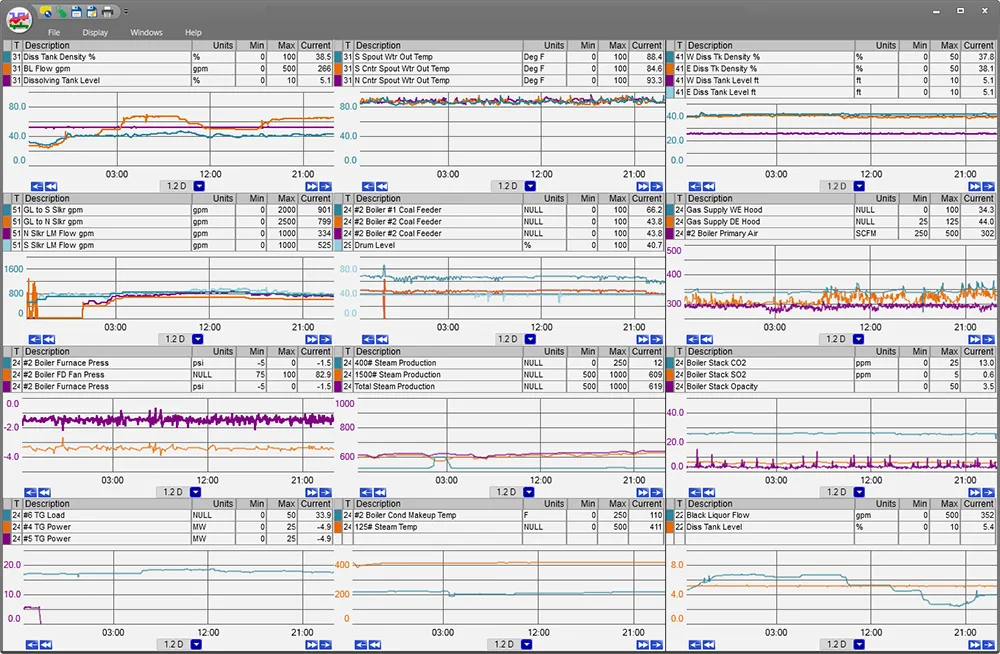
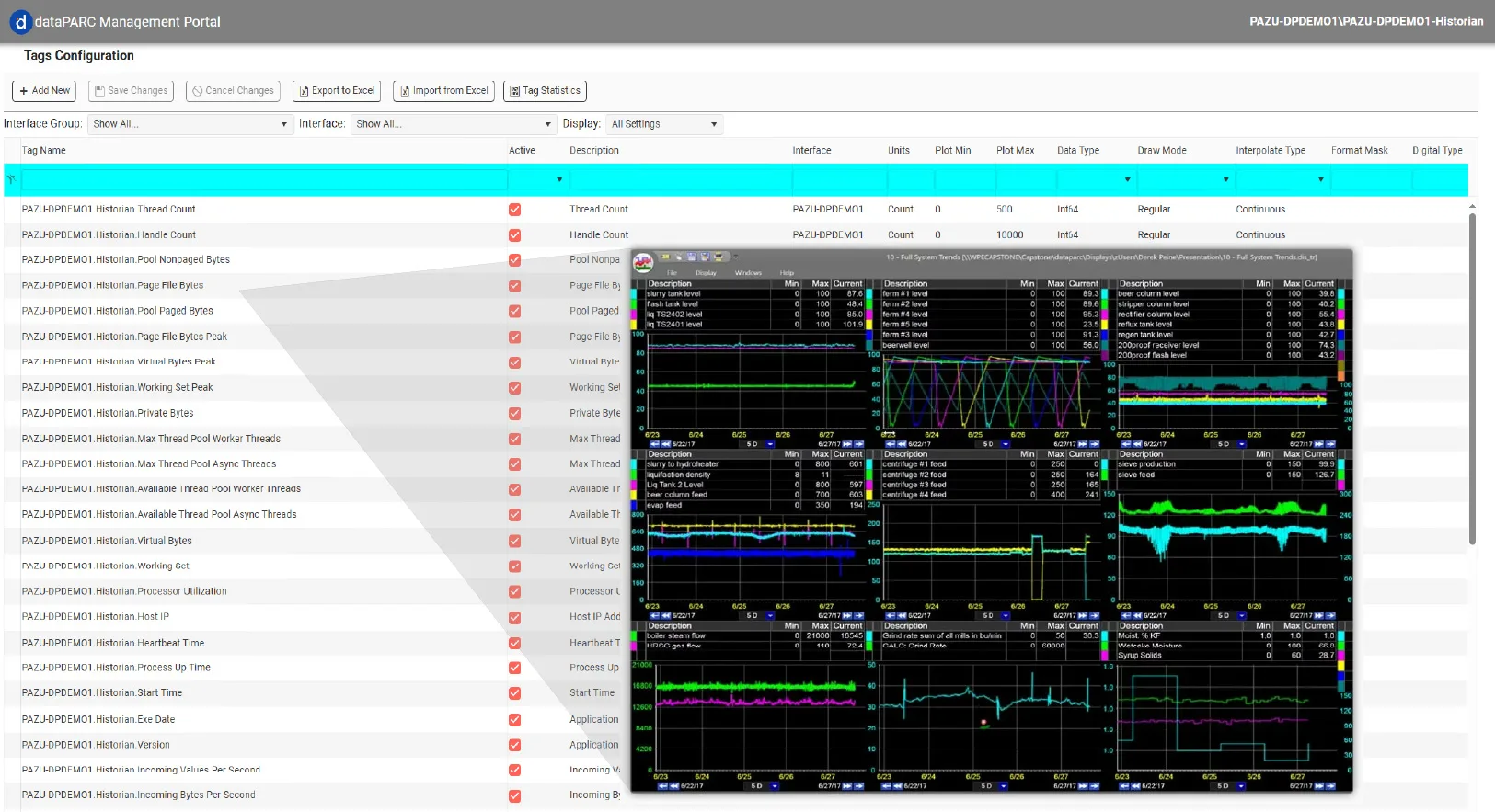
This trend has over 20 tags of sub-second data on it, and it can pull that data quickly. Your process data historian should be able to handle large queries over multiple days or months.
Modern historians offer open APIs that allow third-party tools to read and write data without friction. If yours doesn’t, or if accessing it feels like a project every time, it’s worth asking whether the tool is working for you or against you.
2. You Don’t Own Your Data
This one is more common than people like to admit. Some historian platforms are built in a way that makes it difficult, intentionally or not, to move your data, access it freely, or use it with tools outside their ecosystem. Proprietary formats, restrictive licensing, and limited API access all add up to a situation where your data is technically yours, but practically speaking, someone else controls how you use it. Licensing models that are on a per-user basis, or being forced into subscription models, are a few ways in which sites don’t feel like they truly own their data.
If you’ve ever felt like you needed permission to access your own process data, or like switching platforms would mean losing years of history, that’s a red flag. Your historian should work for you, not the other way around.
3. Poor Scalability
Historians accumulate a lot of data over time, and not all of them handle that gracefully. If you’re noticing slower query times, longer load times on trend screens, or performance issues that seem to get worse as your archive grows, your historian may not be built to scale with your operation.
Modern historians handle this through data compression. Others use storage tiering, keeping recent, frequently accessed data on fast storage while automatically moving older data to slower, cheaper storage over time. If your historian treats all data the same regardless of age, you’re either paying too much for storage or sacrificing performance, and often both.
4. High Availability Isn’t An Option
Downtime on a data historian isn’t just an inconvenience; it’s a gap in your process record. For manufacturers in regulated industries or running continuous processes, even a short outage can have real consequences. If your current historian doesn’t support redundancy, failover, or high availability configuration, you’re one hardware failure away from losing data you can’t get back.
A well-configured modern historian should be capable of three nines of availability, that’s less than nine hours of downtime per year. If yours isn’t close to that, or if high availability feels like an expensive add-on rather than a core feature, it’s worth taking a closer look at what you’re working with.
5. It Wasn’t Built with AI in Mind
This is the big one. A few years ago, the primary consumer of historian data was a trend screen or a report. Today, AI applications, machine learning models, cloud analytics platforms, and third-party tools are increasingly the ones asking for data, and they have very different requirements than a human does.
They need fast, reliable API access. They need to be able to pull large volumes of historical data for model training. They need to write data back into the historian from external sources like weather feeds or ERP systems. And they need all of this to work securely across network boundaries without compromising your process environment. If your historian wasn’t designed with any of that in mind, it’s going to struggle to keep up with where manufacturing is headed.
Enterprise data historian functionality at a fraction of the cost. Industrial time series data collection & analytics tools.
What Should You Look For In A Modern Historian?
If any of these signs feel familiar, it doesn’t necessarily mean you need to rip and replace everything tomorrow. But it does mean it’s worth having the conversation. When evaluating a modern data historian, here are a few things to look for:
- Open API access that makes it easy to connect third-party tools and AI applications
- Storage tiering that balances performance and cost as your data grows
- High availability options that protect your process record against hardware failures
- Data ownership: your data should be portable, accessible, and yours to use however you need
- Security that fits your network, proper support for Purdue Model network segmentation and tag-based access control
The good news is that migrating from an outdated historian is more straightforward than it used to be. Tools like dataPARC’s PI conversion utility and other display conversion tools can even bring your existing displays over automatically, so you’re not starting from scratch.
Your data historian is the foundation on which everything else is built. If it’s not keeping up, everything built on top of it, your dashboards, AI tools, analytics, is going to feel that too. It’s worth making sure the foundation is solid.
Want to see what a modern historian looks like in practice? Request a Demo
FAQ Outdated Data Historians
- How do I know if my data historian is outdated?
The most common signs of an outdated historian are performance issues as your data grows, limited or no API access for third-party tools, a lack of high availability options, and difficulty getting data out of the system without custom workarounds. If your historian was installed more than five to seven years ago and hasn’t had a major update since, it’s worth evaluating whether it’s still meeting your needs, compare it to the dataPARC Historian. - What is the Purdue Model and why does it matter for my historian?
The Purdue Model is a framework for organizing industrial network architecture into levels, from the process floor up through the business network and out to the internet. We recently did a session on data architecture using the prude model, check it out here: Data Historian Best Practices for AI & Modern Applications. - What is storage tiering, and do I need it?
Storage tiering is the practice of keeping recent, frequently accessed data on fast storage (like SSDs) while automatically moving older data to slower, cheaper storage over time. If your historian is storing years of data and you’re noticing performance degradation, tiering is one of the most cost-effective ways to fix it. You can learn more from our recent session, check it out here: Data Historian Best Practices for AI & Modern Applications. - What data historians are available?
There are a lot of process data historians on the market, one being the dataPARC Historian. Others include Aveva, Canary, eDNA, and more. It is important to compare and find the right fit for your site, not just the least expensive option that might not scale to what you need in 3 years.
Building The Smart Factory
A Guide to Technology and Software in Manufacturing for a Data-Drive Plant