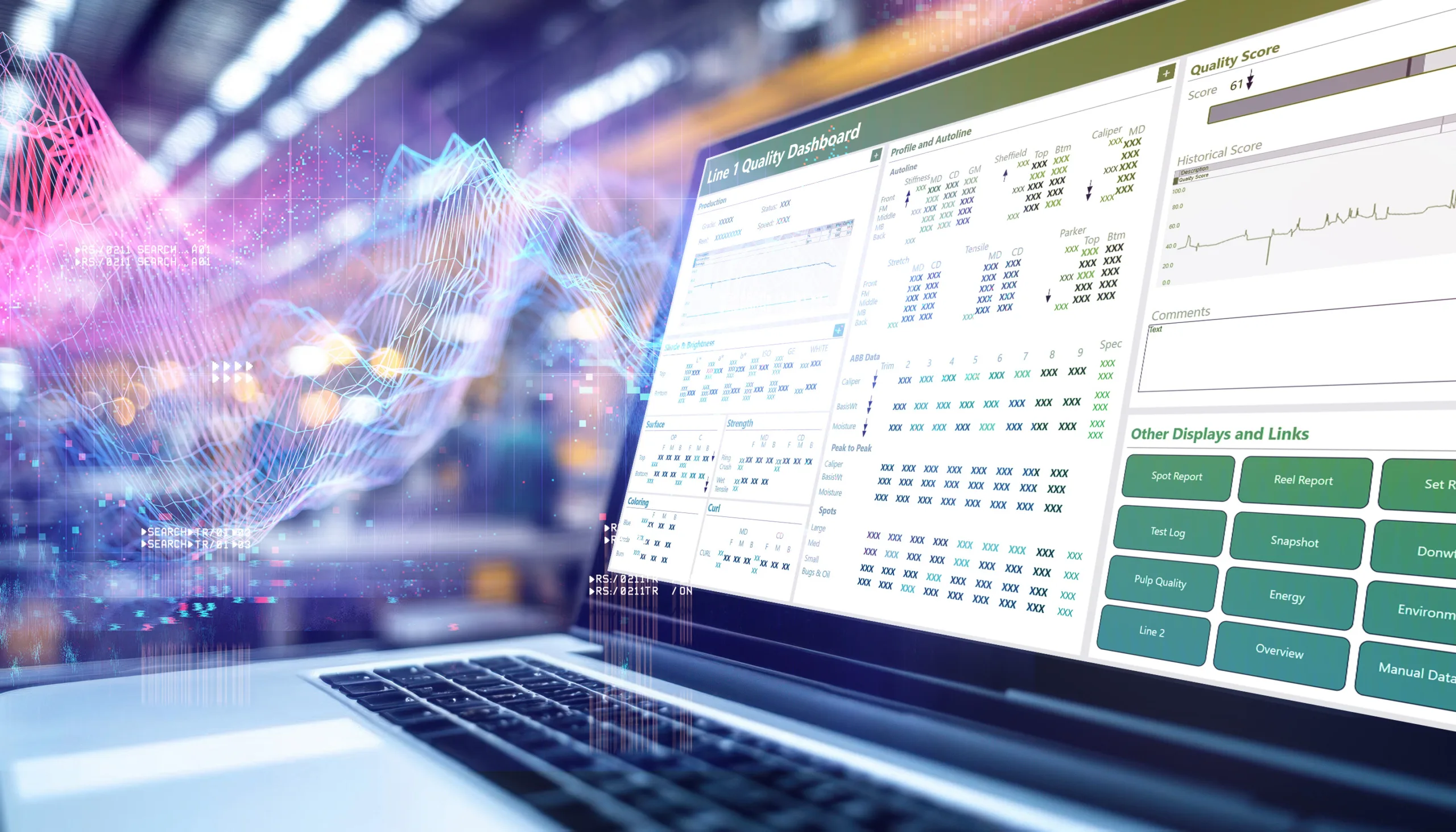
In this blog we’ll dive into some key considerations for those looking for a Trimble Wedge Alternative. How to keep your current trending capabilities while gaining ease of maintenance with all your tools in one place. Plus see how platforms like dataPARC can help keep with the transition.
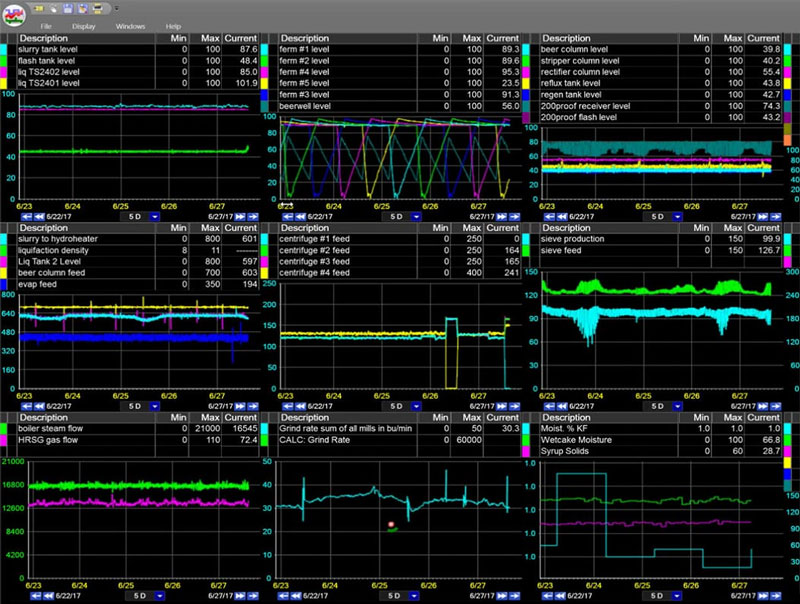
Check out dataPARC’s real-time process data analytics tools & see how better data can lead to better decisions.
If you’re running Trimble Wedge and starting to shop around, you’re probably not doing it lightly. Wedge has earned its reputation over the past three decades, and plenty of engineers know it inside out. Ripping out a tool that half your team already trusts is a real decision, not a spur-of-the-moment one.
There’s usually a specific reason. Maybe your licensing costs jumped after the Trimble acquisition. Maybe the platform stops short of what you actually need. Maybe you’re tired of running your historian, trending, and dashboards through three different vendors. Whatever the trigger, if you’ve started looking, this piece is for you.
What actually matters in a replacement
Plants will have their own reasons for seeking out a replacement. Once you decide to look, the shopping process can get overwhelming fast. Here are some keep points to consider when searching for a Trimble Wedge alternative.
One platform, one contract
You’re already tired of managing separate systems for storage, analysis, and visualization. A replacement should collapse that stack, not hand you a different-shaped version of the same problem. Historian, trending, dashboards, and reporting under one roof means fewer integrations, fewer contracts, and fewer handoff issues when something breaks.
Real trending, not just charting
Trending is important, and you don’t want to move backwards a step from what you already have. Don’t accept a replacement that offers dashboards labeled “trending” but can’t handle overlaying dozens of tags, running statistical calculations, or comparing a full year of production side by side. That’s a downgrade wearing a fancy new UI.
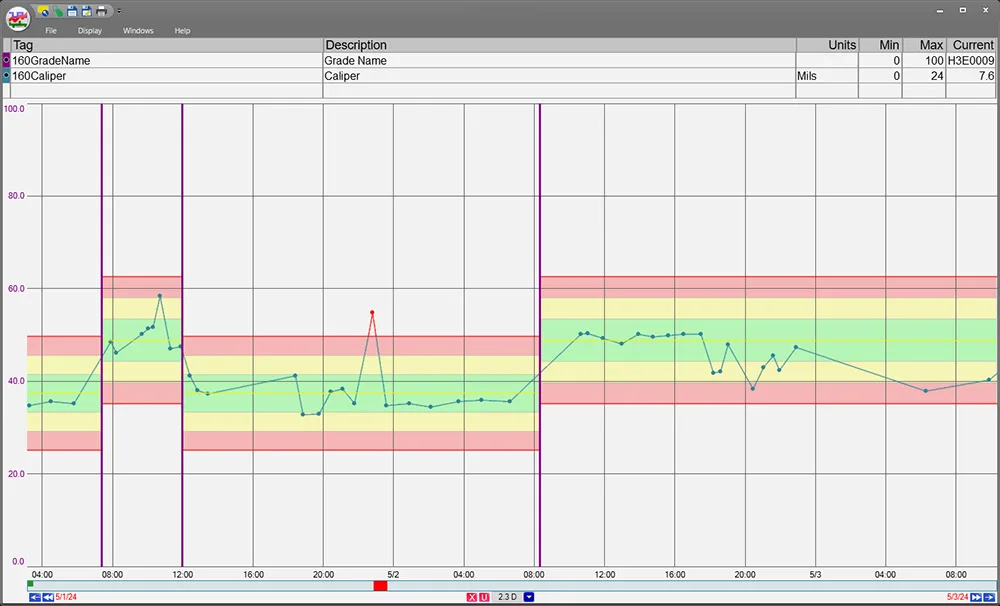
This PARCview trend shows how grade/product based limits can be added to help operations more easily keep track of key variables even while switching to a new product with different limits.
Built for more than just engineers
This one gets overlooked. If the tool works great for your analytics team but leaves operators and management out in the cold, you’re going to keep running into the same problem you’re trying to solve. Operators need clean, real-time displays. Management needs live KPI views they don’t have to email someone for. Any replacement worth its price tag serves all three groups.
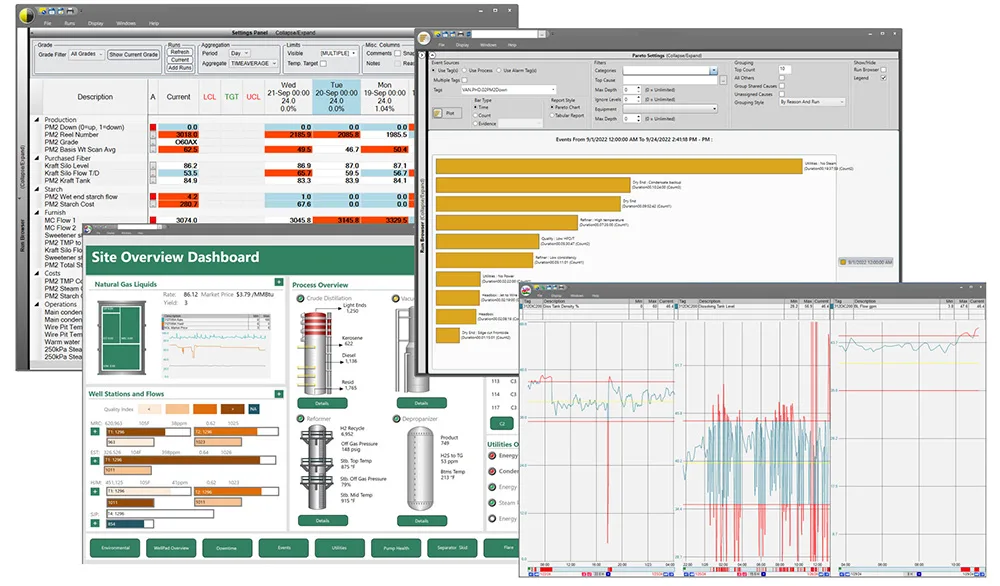
PARCview has a variety of display and analytics features to help each user access and use the data they need. From trends to graphics, Pareto charts and run to run tabular comparison displays.
Predictable pricing
When your pricing model punishes you for accessing your data by limiting users, you stop utilizing it, then you wonder why your analytics program stalled. Look for something with a licensing model that scales sensibly. Perpetual options are worth pricing out too, especially if you plan to use the tool for more than a few years.
A migration story that doesn’t start from zero
You have years of historical data, trending views your engineers know cold, and reports that go to specific people every Monday morning. A replacement vendor should be able to preserve that continuity. If their answer to migration is “we’ll help you rebuild from scratch,” keep looking.
Where dataPARC fits into the picture
dataPARC is a full manufacturing analytics platform. That means historian, trending, KPI tracking, dashboards, and reporting all in one product. Not five separate modules stitched together at the license page.
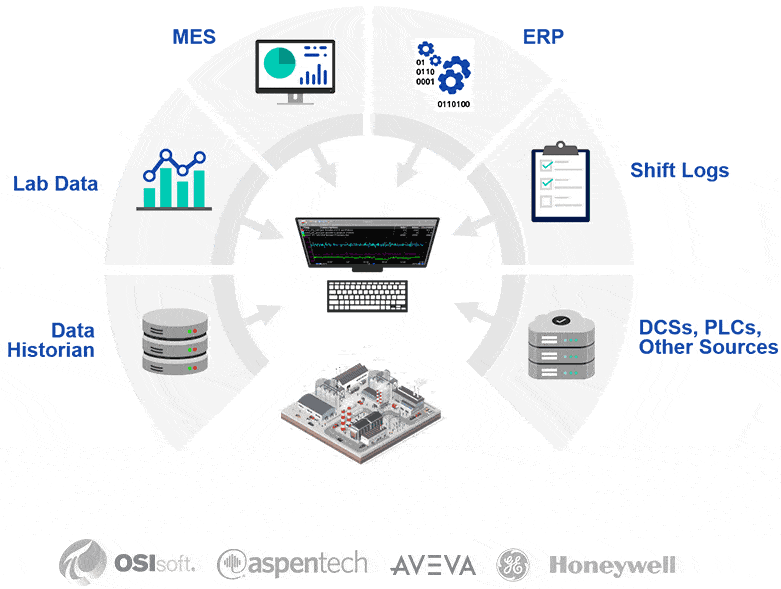
Bring all your data together into one system for quick access and analysis.
For engineers, PARCview delivers the kind of investigation-grade trending that Wedge users are used to. Multi-tag overlays. Calculated variables. Statistical tools. Year-over-year comparisons. The ability to chase down a root cause instead of just charting the aftermath. If you’re worried about a downgrade in analytics power, that’s the piece to demo first.
For operators, dataPARC includes configurable real-time displays that don’t require an engineer to build them. Alarm overviews, trend widgets, live KPIs, all in interfaces built for the plant floor. This is a big piece of what Wedge doesn’t try to do, and it’s often where the real ROI shows up.
For management, dashboards pull from the same live data everyone else uses. No monthly report compilation. No “our numbers are always a week behind” problem. Just the current view of what’s happening.
On pricing, dataPARC offers a perpetual licensing model or subscription. If your Wedge costs have crept up over the past few years, running a five or ten year total cost comparison is worth doing. Perpetual pricing looks expensive up front and cheap over time.
Questions worth asking before you switch
Here are a few questions you might consider asking yourself before switching:
- Does the replacement include a historian, or are you going to be managing storage separately again?
- Can operators, engineers, and management all use it, or is one of those groups going to be excluded?
- What’s the plan for migrating your existing history, dashboards, and reports?
- Is the trending tool designed for investigation, or is it a charting layer wearing a “trending” label?
- Who’s building and supporting the software? A dedicated software company, or a division inside a much bigger corporation with priorities elsewhere?
Thinking about an Industrial Data Platform? Let our Smart Factory guide your way.
The bottom line
If you’ve decided to look for a Trimble Wedge alternative, a unified platform, built for every level of the plant, with pricing that doesn’t punish you for using it, is worth a demo cycle.
To see what that looks like in practice, sign up for a demo and we can talk through the migration path from where you are today.
Trimble Wedge Alternative FAQ
- Can PARCview create custom displays ?
Yes, PARCview can create custom displays and tools. The benefit to a tool like PARCview is that it does not require 100% customization, with many out of the box tools built for industry. However, if you require a custom application many times it is possible within the flexible dashboard builder. - Does PARCview have a data entry option?
Yes, PARCview has the ability to save manual data. This data can be saved in a grid form similar to Excel, or you can create a custom dashboard that will look and feel like existing paper entires or existing entry screens. - Does PARCview have advanced trending capabilities?
Yes, PARCview’s trending capabilities are #1 in the industry. With options for up to 100 trends in a single display, quick syncing and run to run comparisons, PARCview’s trending options are excellent.
Building The Smart Factory
A Guide to Technology and Software in Manufacturing for a Data-Drive Plant